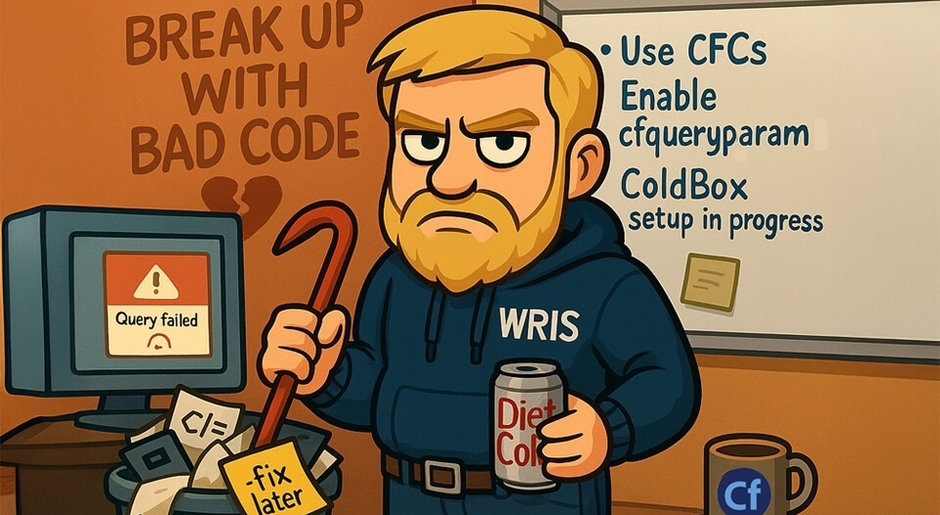
From the Desk of your Grumpy Dev: It's Not Me, It's You: Breaking Up with Bad ColdFusion Code
From the Desk of your Grumpy Dev: It's Not Me, It's You: Breaking Up with Bad ColdFusion Code
I didn’t want it to end like this.
We had a good run... back in 2007, maybe even 2012. You were quick, dirty, and somehow everything just kind of... worked. But now? Now it’s 2025, and your ColdFusion 9 habits are putting my professional sanity at risk.
We need to talk.
The Relationship Red Flags I Ignored
Like any toxic relationship, there were signs early on:
- <CFINCLUDE> everywhere, because modular code is for cowards apparently.
- Inline SQL inside .cfm pages—because why separate logic when you can duct-tape it all together?
- Code comments like <!-- fix later -->... from 2016.
- Queries without cfqueryparam, just raw user input poured straight into the database like gasoline on a campfire.
But I stayed. I made excuses. “It’s not that bad, it’s just legacy.”
Until it was my job to get this app working on ColdFusion 2023.
And now I’m rethinking my life choices.
The Pain of Moving On
Modernizing a ColdFusion app should be exciting. But instead, it’s like dragging a bag of wet cement up a hill while someone throws rocks at you. Here's what we face every time someone wants to “just upgrade ColdFusion”:
- Tag soup: <cfset>s tangled in a Lovecraftian nightmare of <cfswitch> blocks and <cfelse> chaos.
- Outdated syntax: You’re still looping with cfloop index="i" over recordsets like it’s your first rodeo.
- No separation of concerns: Business logic in views, views in queries, and database errors in the browser. Sweet nostalgia.
Every modern CF feature—closures, script syntax, ORM, dependency injection—gets stuck trying to shove its way through 15-year-old technical debt and a prayer.
ColdFusion: Still Good, But You Gotta Let Go of the Trash
Listen, ColdFusion isn’t the problem. You are. (Well... your code is.)
ColdFusion has grown. It's not just the tag-happy playground it used to be. We’ve got CFScript, object-oriented programming, test frameworks, and dependency injection now. You can even use CommandBox and Docker like a real developer. But none of that matters if you insist on clutching your procedural code like a security blanket.
How We Break Up (and Move On)
Here’s how we help our clients stop dating their bad code:
- We isolate the worst offenders. The functions with 300 lines and a dozen responsibilities? They go on the "refactor now" list.
- We introduce structure. Whether it’s ColdBox, FW/1, or just basic CFC modularization, we bring order to the chaos.
- We enforce security. cfqueryparam isn’t a suggestion. It’s law.
- We rewrite, not just patch. Some code is too far gone. We put it out of its misery.
- We document and test. Because future-you doesn’t want to have this breakup again.
Final Words from the Grumpy Guy
Bad ColdFusion code is like an ex who still texts you at 2am asking why their cfinclude is throwing an error after they copy-pasted it from a forum post in 2011.
It’s time to stop answering.
Modern CFML is clean, fast, and productive—but only if you treat it with the respect it deserves. Let’s quit patching and start building something better.
And if you can’t break up with your bad code on your own?
Call us. We’ve got the crowbars and diet coke.
Related Blogs
Before Google: The Wild West of Early Search Engines

WRIS at Adobe ColdFusion Summit 2026: Innovation, AI, and Community
.jpg&w=640&h=360&c=center)
What ADA Compliance Actually Means for Your Website in 2026
.jpg&w=640&h=360&c=center)